
How to find an Autotask PSA ticket ID?
- Open the ticket you want to include in the Custom Demo.
- Look at the URL and find the ticket ID, which is typically at the end of the URL.
Important: T20230127.0001 is a ticket number, not a ticket ID required by our Migration Wizard.
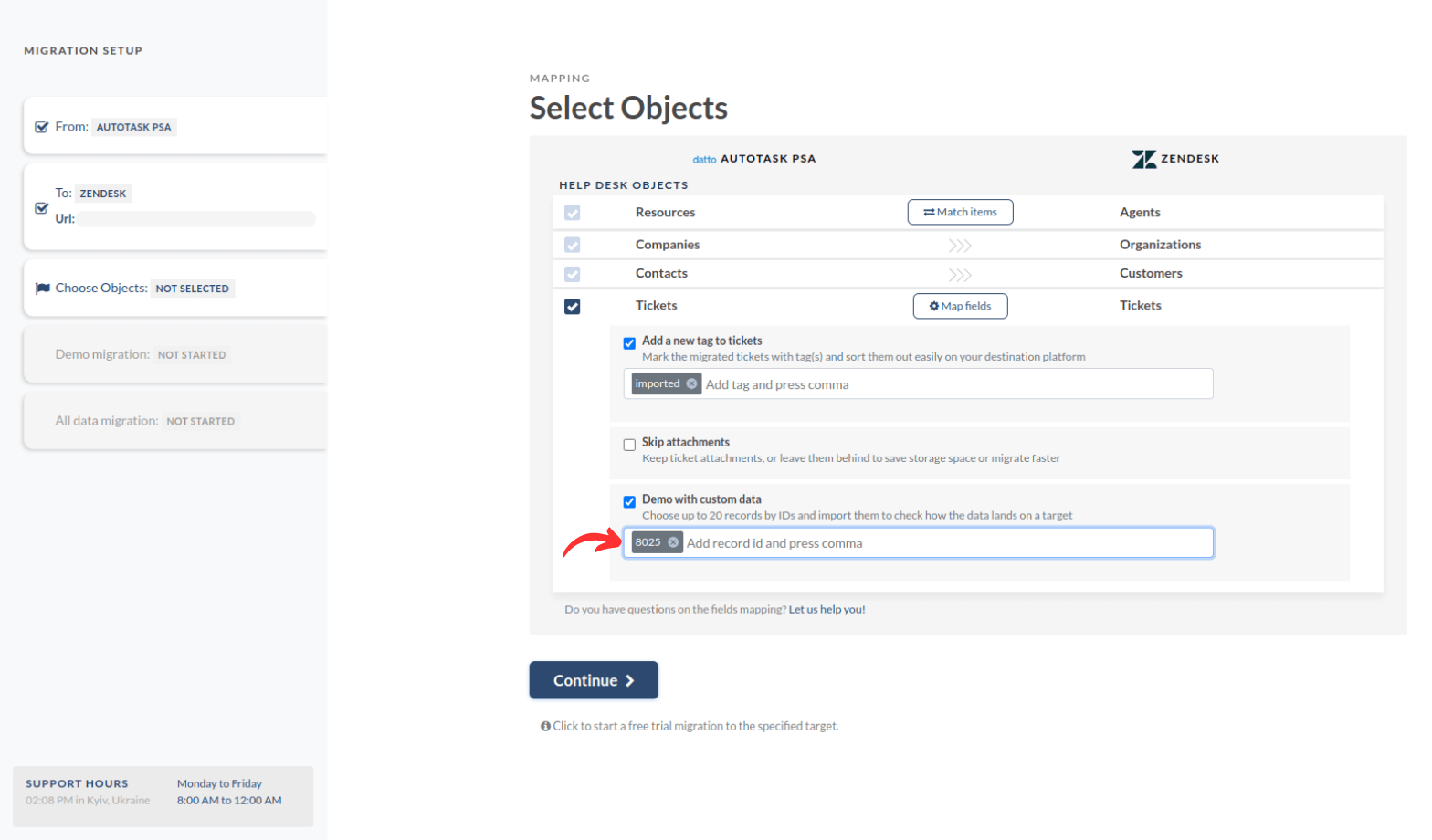
Input 8025 in the migration and separate each subsequent ID with a coma.
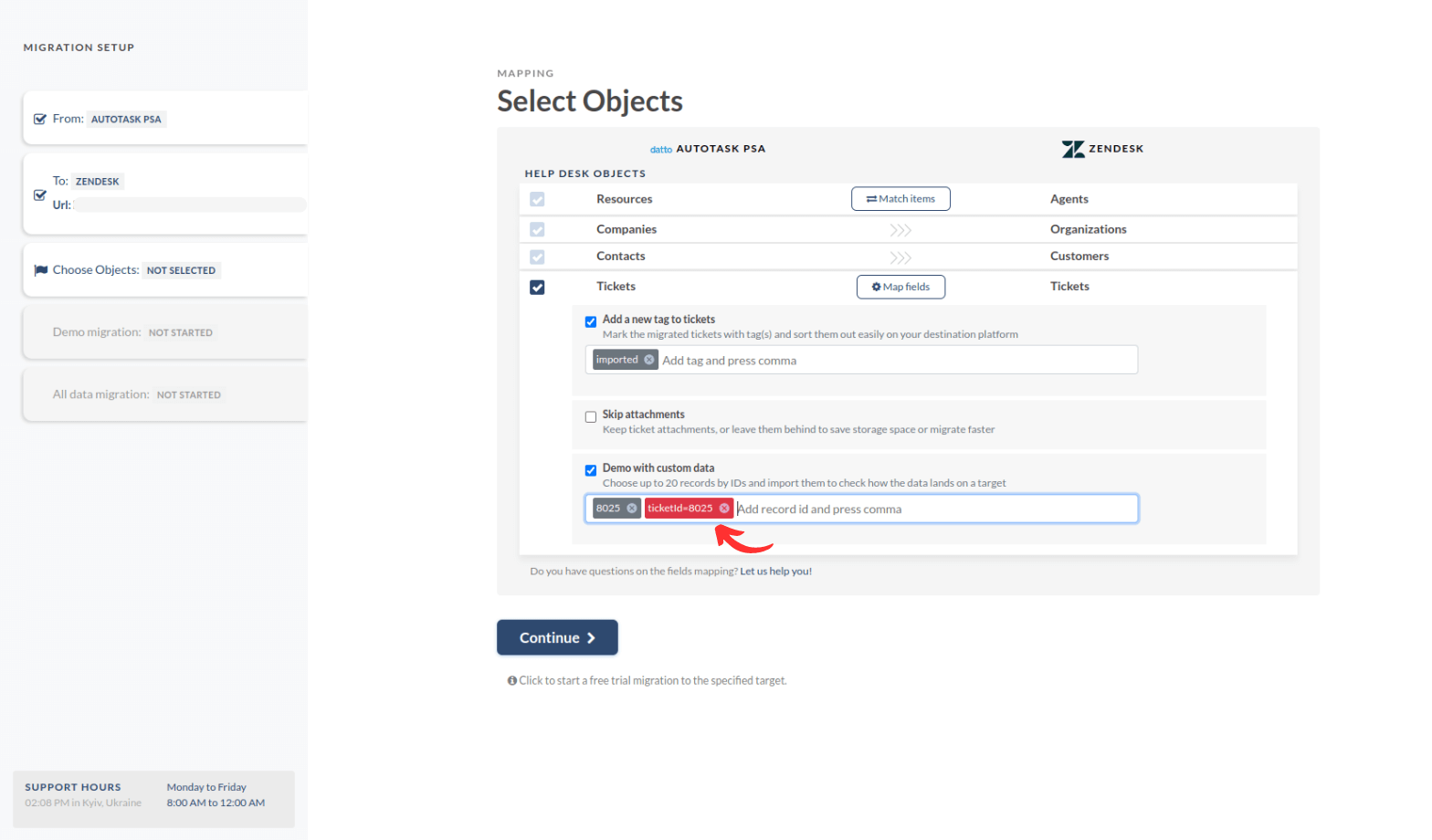
Note If you provide incorrect details or add unnecessary characters, brace yourself for a red mark on your ticket ID or article ID.
Comments
0 comments
Please sign in to leave a comment.